
Last updated 19 October 2026
The WhatsApp Business API in Sri Lanka has become the fastest way for growing businesses to confirm orders, send delivery updates, take bookings and answer customers automatically, without a team copying and pasting messages all day. But 2026 brought real changes: Meta changed how messages are charged on 1 October, Sri Lanka got its own pricing on Meta’s rate card, and new rules now limit what AI chatbots can do on WhatsApp.
This guide is written by a software team, not a WhatsApp platform reseller. It explains when you actually need the API, what it costs now, what you can automate, how to set it up, and when a ready-made platform is enough versus when a custom integration pays off.
In this guide
- WhatsApp Business app vs WhatsApp Business API
- Signs your business needs the API
- What changed in 2026
- WhatsApp Business API pricing in Sri Lanka
- 7 ways Sri Lankan businesses use it
- Which businesses benefit most
- AI chatbots on WhatsApp: what’s allowed
- How to set it up, step by step
- Ready-made platform or custom integration?
- Consent, PDPA and WhatsApp’s rules
- Mistakes to avoid
- Frequently asked questions
WhatsApp Business app vs WhatsApp Business API
Many businesses in Sri Lanka already use the free WhatsApp Business app on a phone. The API, now officially part of the WhatsApp Business Platform, is a different product built for scale and automation.
| WhatsApp Business app | WhatsApp Business API | |
|---|---|---|
| Cost | Free | Charged per delivered message, plus any platform or developer costs |
| Who sends messages | A person on a phone, or a few linked devices | Your systems: website, online store, POS, CRM or chatbot |
| Team use | Limited | Shared inbox for many staff, with routing and assignment |
| Automation | Greeting, away messages and quick replies | Full automation: order updates, reminders, chatbots, integrations |
| Bulk messaging | Broadcast lists, only to people who saved your number | Approved message templates to opted-in customers at scale |
| Best for | Small shops and sole traders | Growing businesses with regular customer messaging |
Since 2025, Meta’s “coexistence” feature lets you connect an existing WhatsApp Business app number to the API, so you can keep the app on a phone while your systems send automated messages from the same number. Some app features, such as broadcast lists and disappearing messages, are switched off for one-to-one chats when coexistence is on, and group chats stay in the app only.
Signs your business needs the WhatsApp Business API
- Your staff spend hours each day sending the same confirmations, delivery updates or payment reminders by hand.
- Several people need to answer customers from one number, and messages get missed.
- Customers order or book through your website, app or POS, and you want WhatsApp updates sent automatically.
- You run cash-on-delivery and lose money on orders that are refused at the door.
- You want a chatbot to answer common questions at night and hand over to a person when needed.
- You want to know which messages were delivered and read, and which campaigns brought sales.
If none of these apply, the free WhatsApp Business app is probably enough for now.
What changed in 2026
1. Service messages are no longer unlimited and free
From 1 October 2026, Meta gives each business phone number 1,000 free service messages a month. Service messages are your free-form replies inside the 24-hour window after a customer messages you. Beyond that free tier, service messages are charged at published rates. Utility messages sent inside an open customer service window, which were free from July 2025, are also charged at the normal rate again.
2. Sri Lanka has its own price list
On the same date, Sri Lanka (+94) moved out of Meta’s “Rest of Asia Pacific” pricing group and became a standalone market on the rate card. Meta lists Sri Lanka’s utility and authentication rates as decreasing with that change, and added a separate “authentication-international” rate.
3. General-purpose AI chatbots are banned
Under WhatsApp’s updated business terms, which applied to all existing users from 15 January 2026, open-ended AI assistants such as ChatGPT-style bots are no longer allowed on the WhatsApp Business Platform. Business-focused bots for bookings, orders, support and similar tasks are still allowed. More on this below.
4. The On-Premises API is gone
Meta has retired the self-hosted On-Premises API, so new WhatsApp Business API integrations run on Meta’s Cloud API, either directly or through a Business Solution Provider (BSP).
WhatsApp Business API pricing in Sri Lanka
Since 1 July 2025, Meta has charged per delivered message rather than per conversation. You pay nothing for messages customers send you, or for messages that aren’t delivered. What you pay depends on the type of message and the country of the person receiving it.
| Message type | Used for | How it’s charged |
|---|---|---|
| Marketing | Offers, new arrivals, abandoned cart reminders, re-engagement | Per delivered message, the highest rate |
| Utility | Order confirmations, delivery updates, booking reminders, payment receipts | Per delivered message, with volume discounts at higher volumes |
| Authentication | One-time passwords (OTPs) and login codes | Per delivered message, with volume discounts |
| Service | Your free-form replies within 24 hours of a customer’s message | 1,000 free per number per month, then charged |
Messages sent in reply to someone who reached you through a Click to WhatsApp ad on Facebook or Instagram open a “free entry point” window, during which most message types are free.
How to estimate your monthly cost
- Count the automated messages you’d send each month by type, for example 3,000 order confirmations and delivery updates (utility), 1,500 OTPs (authentication) and 2,000 promotional messages (marketing).
- Estimate how many free-form replies your team sends, and subtract the 1,000 free service messages.
- Multiply each total by the current Sri Lanka rate on Meta’s rate card.
- Add your platform or BSP subscription, if you use one, and any development and maintenance costs.
For most Sri Lankan SMEs, message costs are small compared with the staff time saved. Marketing messages are where budgets grow fastest, so send them only to customers who have opted in and are likely to respond.
7 ways Sri Lankan businesses use the WhatsApp Business API
1. Cash-on-delivery confirmation
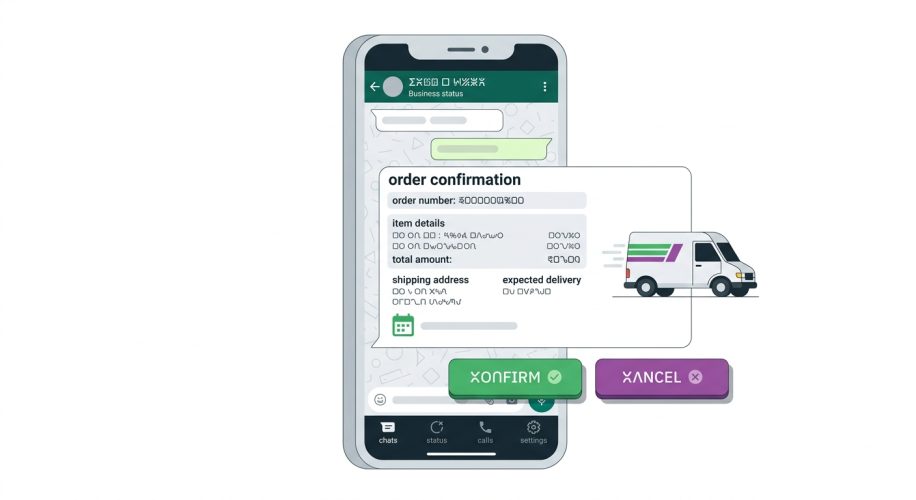
Send an automatic message with “Confirm” and “Cancel” buttons as soon as a COD order is placed. Orders that aren’t confirmed don’t get dispatched, which cuts refused deliveries and wasted courier fees.
2. Order and delivery updates
Connect your online store or POS so customers get WhatsApp updates when an order is packed, handed to the courier and out for delivery, with a tracking link. This also reduces “where is my order?” calls.
3. Booking confirmations and reminders
Hotels, clinics, salons, tutors and tour operators can send confirmations, reminders the day before and directions, with buttons to confirm or reschedule. Fewer no-shows means more revenue from the same calendar.
4. Payment links and receipts
Send a payment link or a LankaQR code for an invoice or deposit, then a receipt once it’s paid. If you’re setting this up, read our guide to accepting payments online in Sri Lanka.
5. Customer support with a smart first reply
A business chatbot answers common questions such as opening hours, prices, stock and order status in Sinhala, Tamil or English, and passes the conversation to a person with the full history when it can’t help.
6. Abandoned cart and re-engagement messages
Remind opted-in customers about items left in their cart, or let past buyers know when something they like is back in stock. Keep these relevant and infrequent, because customers can block or report you.
7. One-time passwords and account alerts
Many Sri Lankan apps and portals now send login codes and account alerts by WhatsApp as well as SMS, because customers open WhatsApp more readily.
Which Sri Lankan businesses benefit most from the WhatsApp Business API
| Industry | What to automate first |
|---|---|
| Online stores and social sellers | COD confirmation, dispatch and delivery updates, abandoned cart reminders |
| Hotels, villas and tour operators | Booking confirmations, arrival details, transfer reminders and review requests |
| Clinics, salons and tutors | Appointment reminders with confirm and reschedule buttons |
| Insurance and finance | Renewal and payment reminders, claim status updates and OTPs |
| Schools and training providers | Fee reminders, timetable changes and parent notices |
| Field services and repairs | Technician arrival times, job completion notes and invoices |
Start with one high-volume, repetitive message, usually an order or booking confirmation, prove it saves time or money, and then add more. Trying to automate everything at once is the most common reason WhatsApp projects stall.
An illustrative example: an online store using cash on delivery
Picture a typical Colombo clothing store that takes most orders through its website and Facebook, with cash on delivery. Staff phone each customer to confirm orders, and some parcels are still refused at the door. With the WhatsApp Business API connected to the store:
- the customer gets an order summary with Confirm and Cancel buttons seconds after ordering;
- only confirmed orders are sent to the courier, and unconfirmed ones get one reminder;
- the customer receives a tracking link when the parcel leaves; and
- a delivery-day message reminds them to keep the cash ready.
The staff who used to make confirmation calls now handle the conversations that actually need a person.
AI chatbots on WhatsApp: what’s allowed in 2026
WhatsApp’s business terms now prohibit general-purpose AI chatbots, meaning bots whose main purpose is to be an open-ended AI assistant. That rule was aimed at companies offering consumer AI assistants on WhatsApp, not at businesses using AI to serve their own customers.
Allowed: AI that supports your business, such as answering questions about your products and policies, taking bookings and orders, tracking deliveries, qualifying leads and routing conversations to staff.
Not allowed: a bot that will chat about anything, write essays or act as a general assistant unrelated to your business.
In practice, a compliant WhatsApp chatbot should:
- stay focused on your business’s products, services and policies;
- use your own content, such as your FAQs, price lists and order data, rather than open-ended answers;
- hand over to a person, with the conversation history, when it can’t resolve something; and
- be clear with customers that they’re talking to an automated assistant.
Learn more about how we build business chatbots on our AI development services page.
How to set up the WhatsApp Business API, step by step
- Create a Meta Business portfolio (formerly Business Manager) using a business email address.
- Verify your business with Meta using your business registration documents. Make sure your legal name, address and website match your registration exactly.
- Choose how you’ll connect: directly through Meta’s Cloud API with your own developer, or through a Business Solution Provider that gives you an inbox and tools.
- Pick your phone number. Use a new number, or connect your existing WhatsApp Business app number through coexistence.
- Set your display name and profile. The display name must match your brand and is reviewed by Meta.
- Create message templates for anything you send outside the 24-hour window, such as order confirmations and reminders, and submit them for approval.
- Connect your systems such as your website, online store, POS, booking system or CRM, so messages are triggered automatically.
- Collect opt-ins on your website, checkout and forms before you message customers.
- Test, then launch with a small group of customers, and watch delivery, read and block rates in the first weeks.
Ready-made platform or custom integration?
You don’t always need custom development. Here’s how to decide.
| Ready-made WhatsApp platform | Custom integration | |
|---|---|---|
| Best for | Shared inbox, broadcasts and simple chatbots | Messages triggered by your own systems and data |
| Setup time | Days | Weeks, depending on scope |
| Running cost | Monthly subscription per user or plan, plus message fees | Message fees plus hosting and maintenance |
| Integrations | Popular tools such as Shopify or WooCommerce | Any system, including custom ERPs, POS and booking platforms |
| Flexibility | Limited to the platform’s features | Built around your exact workflow |
Many businesses use both: a ready-made inbox for the team, plus a custom integration that sends order, booking and payment messages straight from their own software. If your orders live in a custom system, our custom software development team can connect it to WhatsApp.
Consent, PDPA and WhatsApp’s rules
WhatsApp’s own policies require you to get a customer’s permission before you message them, and to make it easy to opt out. From 1 January 2027, the core duties of Sri Lanka’s Personal Data Protection Act also apply, so you need a clear privacy notice, a lawful reason to use customers’ numbers, and secure handling of chat data.
- Add a clear WhatsApp opt-in at checkout and on forms, rather than a pre-ticked box.
- Say what you’ll send, such as order updates or offers, and how often.
- Honour “stop” requests quickly and keep a record of opt-ins and opt-outs.
- Limit who in your team can see customer chats, and how long you keep them.
Our PDPA website checklist covers privacy notices and consent in more detail.
Mistakes to avoid
- Messaging customers who never opted in, which leads to blocks, reports and a lower quality rating for your number.
- Sending too many marketing messages, which raises costs and annoys customers.
- Labelling promotional content as a utility message. Meta reviews templates and can recategorise them.
- Using a personal number, or a number your staff also use on personal WhatsApp.
- Building a chatbot with no route to a real person.
- Budgeting on old pricing. Service replies above 1,000 a month have been charged since 1 October 2026.
How Microweb Global can help
We help Sri Lankan businesses use WhatsApp properly, not just send broadcasts. We can:
- connect your website, online store, POS, booking system or ERP to the WhatsApp Business API;
- build business-focused AI chatbots in Sinhala, Tamil and English, with handover to your team;
- set up COD confirmation, delivery updates, reminders and payment links; and
- design opt-in and consent flows that are ready for the PDPA.
WhatsApp Business API in Sri Lanka: frequently asked questions
How much does the WhatsApp Business API cost in Sri Lanka?
Meta charges per delivered message, based on the message type and the recipient’s country. Marketing messages cost the most, utility and authentication messages less, and each number gets 1,000 free service replies a month. Sri Lanka has its own rates on Meta’s rate card since 1 October 2026. Add any platform subscription or development costs.
Is the WhatsApp Business API free?
No. The WhatsApp Business app is free, but the API charges per delivered message. Customer messages to you are free, and each business number gets 1,000 free service replies a month.
Can I use my existing WhatsApp Business number with the API?
Yes, in most cases. Meta’s coexistence feature lets you connect your WhatsApp Business app number to the API and keep using the app on your phone, although some app features are limited for one-to-one chats.
Can I use an AI chatbot on WhatsApp in 2026?
Yes, if it serves your business, such as answering product questions, taking bookings or tracking orders. General-purpose AI assistants that will chat about anything are not allowed on the WhatsApp Business Platform.
How long does WhatsApp Business API setup take?
A basic setup through a platform provider can take a few days, depending on Meta business verification and template approval. A custom integration with your store, POS or booking system usually takes a few weeks.
Do I need customer consent to send WhatsApp messages?
Yes. WhatsApp requires opt-in before you message customers, and Sri Lanka’s Personal Data Protection Act core duties apply from 1 January 2027. Collect clear opt-ins and make it easy to stop messages.
Talk to us about WhatsApp automation
Tell us what you want to automate and which systems you use. We’ll recommend the simplest setup that works, with a fixed-price quote if development is needed.
Sources
- Pricing on the WhatsApp Business Platform, Meta for Developers
- On-Premises API sunset, Meta for Developers
- Digital 2026: Sri Lanka, DataReportal
- WhatsApp’s ban on general-purpose chatbots, respond.io
- WhatsApp coexistence explained, Chakra